
 8086011333
How to Prepare Your Home Internet Connection for a Power Cut
October 14, 2026
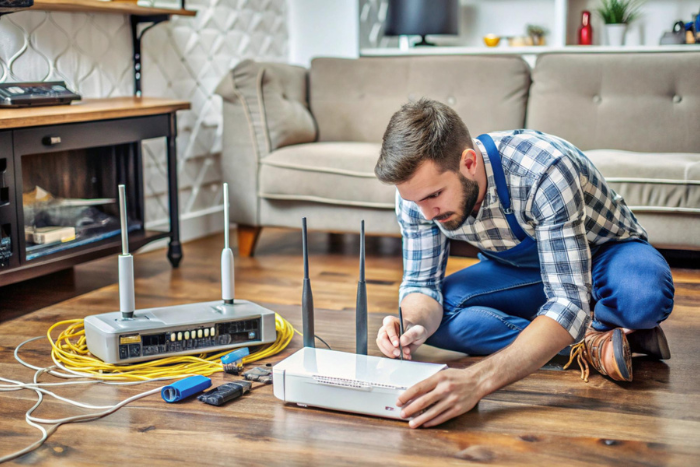
A stable internet connection is essential for working from home, attending online classes, making video calls, and accessing entertainment. However, a power cut can interrupt connectivity, especially when your Wi-Fi router and other networking equipment depend on electricity. Preparing in advance can help you stay connected for longer during unexpected power interruptions.
Whether you use broadband for work or everyday browsing, understanding your equipment and choosing suitable Wi-Fi plans can help you prepare your home network for power cuts.
1. Understand Why Wi-Fi Stops Working During a Power Cut
Your Wi-Fi router needs electricity to operate. When the power supply is interrupted, the router switches off, preventing your devices from connecting to the internet through it.
Depending on your broadband technology, additional equipment may also require power. For example, a fibre connection may use an Optical Network Terminal (ONT) or fibre modem alongside the router. If either device loses power, your internet connection may stop working.
Understanding which devices need electricity helps you choose the right backup solution for your home.
2. Use a UPS for Your Wi-Fi Router
A mini UPS for a Wi-Fi router is one of the most practical ways to maintain connectivity during short power cuts. It provides backup power to compatible networking equipment, allowing your router to continue operating when the main electricity supply is unavailable.
Before purchasing a mini UPS, check the following:
- Voltage and current: Ensure the UPS output matches your router’s power requirements.
- Battery capacity: Choose a capacity suitable for your expected backup duration.
- Device compatibility: Check whether the UPS can power your router, modem, or ONT.
- Output connections: Make sure it has the correct connectors for your equipment.
If your fibre connection uses both an ONT and a Wi-Fi router, you may need to power both devices to maintain internet access. Always check the equipment specifications before connecting a backup power source.
3. Consider a Home Inverter or UPS System
If power cuts are frequent in your area, a home inverter or a larger UPS system can be useful. Depending on its capacity and wiring, it may power your router, ONT, laptop, and other essential devices during an outage.
This option can be particularly helpful for people who regularly work from home or attend online meetings. However, the backup duration depends on the system’s battery capacity and the total power consumption of the connected equipment.
Avoid connecting more devices than the backup system is designed to support. If you are unsure about installation or electrical safety, consult a qualified technician.
4. Keep Your Laptop and Mobile Phone Charged
Maintaining your internet equipment is only part of the preparation. Your laptop and mobile phone also need sufficient battery power to remain useful during a power cut.
Consider these simple habits:
- Charge your laptop and phone before expected power interruptions.
- Keep a compatible, charged power bank available for your phone.
- Save important work regularly to avoid losing unsaved changes.
- Close unnecessary applications to reduce battery consumption.
- Keep essential chargers in an accessible place.
These steps can help you continue important tasks even when electricity is unavailable for an extended period.
5. Keep Mobile Data as a Backup Option
A broadband connection may become unavailable during a power cut if your networking equipment loses power or the provider’s network is affected. Keeping mobile data available gives you another way to access essential online services.
You can use your phone’s mobile hotspot to connect a laptop or another device. However, hotspot performance depends on mobile network coverage, signal strength, data availability, and congestion in your area.
If you regularly rely on mobile data as a backup, check your data allowance and ensure your phone has enough battery power.
6. Protect Your Networking Equipment
Power interruptions and fluctuations can sometimes affect electronic equipment. Using suitable surge protection and following the manufacturer’s instructions can help protect your router and other networking devices.
After electricity returns, allow your equipment to restart fully before troubleshooting the connection. Avoid repeatedly switching devices on and off.
If the internet does not return after the router has restarted, check the indicator lights and cables. For a fibre connection, an abnormal LOS (Loss of Signal) indicator may suggest a fibre signal issue that cannot be resolved simply by providing backup power. Contact your broadband provider if the problem continues.
7. Choose the Right Broadband Service for Your Home
Power backup is important, but choosing a suitable internet service is equally essential for everyday connectivity. When comparing the best broadband plans in Kerala, consider your household’s speed requirements, number of connected devices, data usage, service coverage, and customer support.
If you are choosing the best fiber broadband in Kerala or the best internet connection in Kerala, compare available providers based on speed, reliability, pricing, and plan benefits to find a connection that suits your household’s needs.
If you are searching for a Wi-Fi connection near me, a broadband connection near me, or a Wi-Fi service provider near me, check which providers serve your area and compare their plans, installation charges, and customer support before making a decision.
Conclusion
Preparing your home internet connection for a power cut does not have to be complicated. A compatible mini UPS, a charged laptop and phone, a mobile data backup, and basic equipment protection can help reduce interruptions during short outages.
Before choosing a broadband service, compare suitable Wi-Fi plans and check local availability. With the right equipment and a reliable connection, you can better prepare your home network for unexpected power cuts.