
 8086011333

How to Check Whether Your Devices Support Gigabit Internet
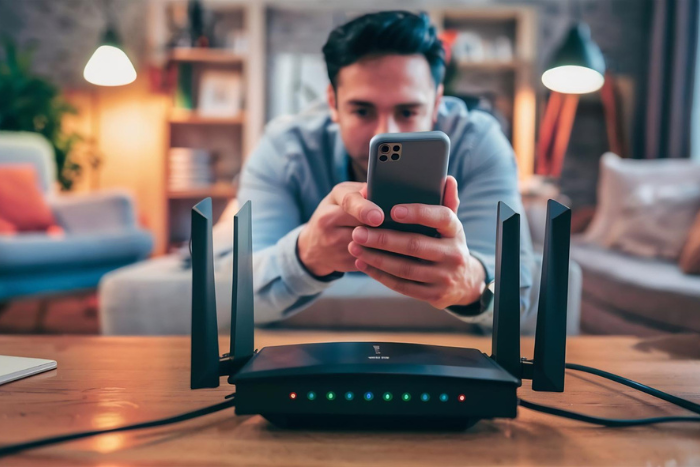
Choosing a high-speed broadband connection can improve your experience when streaming 4K videos, downloading large files, playing online games, and working from home. However, subscribing to a high-speed internet plan does not automatically mean every device in your home can use the full available speed.
Your router, computer, Ethernet cable, Wi-Fi adapter, and network settings can all influence the speeds you achieve. If you are considering a gigabit broadband connection, checking device compatibility before upgrading can help you understand whether your existing setup is ready.
1. What Is Gigabit Internet?
Gigabit internet refers to an internet connection with a speed of up to 1 gigabit per second (Gbps), equivalent to 1,000 megabits per second (Mbps).
A gigabit connection can be useful for households with multiple connected devices, frequent large downloads, cloud backups, 4K streaming, and other bandwidth-intensive activities.
However, the speed you experience depends on several factors, including your broadband plan, network equipment, connected devices, Wi-Fi conditions, and the servers you access.
Before choosing a high-speed plan, check whether your devices and home network can support gigabit speeds.
2. Check Your Computer’s Ethernet Port
An Ethernet connection can provide a more consistent way to test high-speed internet than Wi-Fi. However, not all Ethernet ports support the same maximum speed.
Many modern computers support Gigabit Ethernet, while some older devices may have Fast Ethernet ports limited to 100 Mbps.
To check your computer’s Ethernet capability:
- On Windows: Open Settings and navigate to Network & Internet. Check the Ethernet connection details where available, or open the network adapter properties to identify the adapter’s capabilities.
- On macOS: Check your Mac’s technical specifications or network hardware information to confirm the supported Ethernet interface.
- For external adapters: Check the specifications of your USB-to-Ethernet adapter or docking station.
Look for terms such as Gigabit Ethernet, 10/100/1000 Mbps, or 1000BASE-T. These indicate support for gigabit Ethernet.
Remember that the reported link speed is the connection between your device and the router or network equipment. It does not necessarily represent your actual internet speed.
3. Check Whether Your Wi-Fi Router Supports Gigabit Speeds
Your router plays an important role in distributing internet connectivity to devices throughout your home. If you plan to use a gigabit broadband connection, check both its wired ports and wireless capabilities.
Look for these specifications in the router’s product details or user manual:
- Gigabit WAN port: Supports a wired connection to the broadband modem or ONT at up to 1 Gbps.
- Gigabit LAN ports: Allow compatible wired devices to connect at gigabit link speeds.
- Wi-Fi standard: Wi-Fi 5, Wi-Fi 6, and newer standards can support high wireless speeds, depending on the specific hardware and configuration.
- Supported frequency bands: Dual-band or tri-band capabilities can offer additional wireless options, but do not guarantee gigabit internet speeds.
A router advertised with high combined Wi-Fi speeds may not deliver those speeds to a single device. Real-world performance depends on the router’s specifications, signal strength, interference, and the capabilities of the connected device.
4. Check Your Ethernet Cable
Even if your computer and router support Gigabit Ethernet, the cable connecting them can affect the connection.
For a typical home gigabit Ethernet setup, Cat5e or Cat6 cables are suitable when properly installed and within standard Ethernet distance limits.
Check the label printed on the cable to identify its category. If your connection is limited to 100 Mbps despite using gigabit-capable equipment, try a known-good Cat5e or Cat6 cable and inspect the connectors.
Damaged cables, poor connections, or faulty router ports can also prevent a device from establishing a gigabit link.
5. Check Your Device’s Wi-Fi Capabilities
If you connect to the internet wirelessly, your device’s Wi-Fi adapter matters as much as the router.
An older laptop or smartphone may support only older Wi-Fi standards or have limited wireless capabilities. Even when connected to a modern router, the device may not achieve the speeds available through your broadband plan.
To check compatibility:
- Find your laptop or smartphone’s model number.
- Review the manufacturer’s technical specifications.
- Identify the supported Wi-Fi standard and frequency bands.
- Check whether your device supports the router’s available Wi-Fi bands.
For the best results, use a compatible device near the router when testing speed. Walls, interference, distance, and other connected devices can reduce performance.
6. Check Your Internet Speed
Once you have checked your equipment, run an internet speed test to see how your connection performs.
For a more reliable result:
- Connect a computer directly to a gigabit LAN port on your router using a suitable Ethernet cable.
- Pause large downloads, streaming, and other bandwidth-heavy activities.
- Run a reputable internet speed test.
- Repeat the test at different times if the results vary.
- Compare the results with your subscribed broadband plan.
If your wired connection is much slower than expected, check the Ethernet link speed, cable, router specifications, and other network settings. You can also contact your broadband provider for assistance.
A speed test result can vary due to network conditions, test-server capacity, and the limitations of your device. A gigabit link also has protocol overhead, so a result slightly below 1,000 Mbps can be normal on a gigabit service.
7. What If Your Device Does Not Support Gigabit Internet?
You may not need to replace every device in your home to benefit from a faster broadband plan.
Depending on the limitation, you could consider:
- Using a compatible USB-to-Gigabit Ethernet adapter.
- Upgrading an older router to one with gigabit WAN and LAN ports.
- Replacing a damaged or unsuitable Ethernet cable.
- Using a compatible Wi-Fi adapter if the existing one is limiting performance.
Before purchasing new equipment, identify the actual limitation and check compatibility with your computer, router, and broadband connection.
8. Choose a Broadband Plan That Matches Your Needs
Device compatibility is only one part of choosing a suitable internet service. Your household’s internet usage, number of connected devices, coverage, reliability, and budget should also influence your decision.
If you are comparing the best broadband plans in Kerala, the best fiber broadband in Kerala, or the best internet connection in Kerala, check the speeds offered, available plans, and service coverage at your address.
If you are searching for a Wi-Fi connection near me, a broadband connection near me, or a Wi-Fi service provider near me, compare local availability and plan benefits before upgrading.
Conclusion
Checking whether your devices support gigabit internet involves more than looking at your broadband plan. Your computer’s Ethernet port, router, cable, Wi-Fi adapter, and network conditions all influence the speed you can achieve.
Start by checking your equipment specifications, then test your connection using a suitable wired setup. This can help you identify limitations before upgrading your broadband plan or purchasing new devices.
With compatible equipment and a suitable broadband service, you can make better use of high-speed internet for streaming, downloading, online work, and everyday connectivity.
How to Protect Your Personal Information When Using Public Wi-Fi

Public Wi-Fi makes it convenient to access the internet while travelling, working remotely, or spending time in public places. Whether you are checking emails, browsing websites, or attending an online meeting, connecting to an available Wi-Fi network can help you stay online without using your mobile data.
However, public Wi-Fi networks may not always offer the same level of security as your home network. Unsecured connections, fake Wi-Fi hotspots, and unsafe browsing practices can expose your personal information to potential risks.
Understanding these public Wi-Fi security practices can help you protect your accounts, devices, and sensitive information while staying connected.
1. Connect Only to Trusted Wi-Fi Networks
Before connecting to a public Wi-Fi network, confirm that it belongs to the business or organisation providing the service. For example, if you are visiting a hotel, restaurant, or airport, ask the staff for the correct network name.
Cybercriminals may create fake hotspots with names similar to legitimate networks to trick users into connecting. Once connected, users may unknowingly expose their browsing activity or personal information.
Avoid joining unfamiliar networks simply because they offer free internet access. When possible, confirm the network name and login instructions before using the Wi-Fi connection.
2. Avoid Accessing Sensitive Information on Unsecured Networks
Public Wi-Fi can be useful for everyday browsing, but it is best to exercise caution when accessing sensitive accounts.
Avoid carrying out banking transactions, accessing confidential work documents, or entering sensitive personal information on networks you do not trust. If you need to complete an important transaction, consider switching to mobile data or another trusted internet connection.
Always check that websites use HTTPS, which helps encrypt information exchanged between your browser and the website. However, HTTPS does not guarantee that a website itself is legitimate, so check the website address carefully before entering your details.
3. Use a VPN When Appropriate
A Virtual Private Network (VPN) creates an encrypted connection between your device and a VPN server. This can help protect your internet traffic from being viewed by others on the same local network.
A VPN may be useful when you need to connect to public Wi-Fi for work or other activities involving sensitive information. Choose a reputable VPN provider and understand its privacy policy before using the service.
Remember that a VPN does not make you completely anonymous or protect you from every online threat. Following basic internet security practices, such as using strong passwords and avoiding suspicious websites, remains important.
4. Turn Off Automatic Wi-Fi Connections
Many smartphones, tablets, and laptops can automatically connect to previously saved Wi-Fi networks. Although convenient, this feature may cause your device to connect to an unfamiliar or potentially unsafe hotspot.
To reduce this risk, disable automatic connections to public networks and review your saved Wi-Fi networks periodically.
You can also turn off Wi-Fi when you are not using it. These simple Wi-Fi safety tips give you greater control over which networks your device connects to and help prevent accidental connections.
5. Enable Two-Factor Authentication
A strong password is essential for protecting online accounts, but an additional layer of security can provide further protection.
Two-factor authentication (2FA) requires an additional verification step when signing in, such as an authenticator-app code or another approved method. Even if someone obtains your password, this extra step can make it more difficult for them to access your account.
Enable two-factor authentication for important accounts, including email, banking, and work-related services wherever available. Use unique passwords for different accounts and consider a reputable password manager to manage them securely.
6. Keep Your Devices and Software Updated
Operating system and browser updates often include security fixes that address known vulnerabilities. Using outdated software can leave your device exposed to threats that newer versions may have resolved.
Before connecting to public Wi-Fi, make sure your operating system, browser, and security software are up to date.
You should also enable your device’s firewall and use its built-in security features. Avoid installing applications or browser extensions from unfamiliar sources, especially when connected to an untrusted network.
7. Disable File Sharing and Avoid Suspicious Links
File sharing and network discovery features can make it easier for devices to communicate with one another. However, leaving these features enabled on public networks may expose information or services that you do not intend to share.
When using public Wi-Fi, set the network profile to public on your computer and disable unnecessary file sharing.
Be cautious of unexpected pop-ups, unfamiliar login pages, and links asking you to enter personal details. Fake Wi-Fi login pages may imitate legitimate services to collect usernames, passwords, or other information.
If a public hotspot requests unusual personal details or asks you to install unknown software, avoid proceeding until you can verify that the request is legitimate.
8. Log Out of Accounts and Forget Public Networks
When you finish using public Wi-Fi, log out of accounts that you no longer need to access, particularly on shared devices. Avoid saving passwords on public computers, and never leave a session open where another person could access it.
On your personal device, forget the public Wi-Fi network after use if you do not expect to reconnect to it. This reduces the possibility of your device automatically joining that network in the future.
If you suspect that your account details have been exposed, change the affected password using a trusted connection and review recent account activity.
9. Choose a Secure Wi-Fi Connection for Everyday Use
While public Wi-Fi is convenient when travelling, a properly secured home network offers greater control over your network settings and connected devices. Use a strong router password, enable WPA2 or WPA3 security where supported, and keep your router firmware updated.
If you are comparing the best broadband connection in Kerala or the best broadband plans in Kerala, consider service availability, connection reliability, speed, and customer support alongside pricing.
Conclusion
Public Wi-Fi offers convenient internet access, but protecting your personal information requires a few simple precautions. Connect only to trusted networks, use HTTPS websites, enable two-factor authentication, keep your devices updated, and avoid accessing sensitive information over networks you do not trust.
A VPN can provide an additional layer of protection, but it should be used alongside other security practices rather than as a complete solution.
Whether you use public Wi-Fi occasionally or rely on a Wi-Fi connection for home for everyday browsing, developing safe internet habits can help protect your digital information and reduce unnecessary security risks.
Why Do Some Websites Load Slowly While Others Work Normally?

Have you ever noticed that one website opens instantly while another takes several seconds to load, even when you are using the same internet connection? This can be frustrating when you are browsing, shopping online, attending video meetings, or trying to access important information.
The reason is that website loading speed depends on more than just your internet connection. Factors such as server performance, website design, browser settings, DNS resolution, device performance, and network congestion can all affect how quickly a page loads.
Understanding these factors can help you identify the cause of slow browsing and determine whether the issue is related to a particular website, your device, or your broadband connection.
1. Website Server Performance
Every time you open a website, your browser sends a request to the server hosting it. The server processes the request and sends the required content, including text, images, scripts, and other files.
If the server is overloaded, poorly configured, or experiencing technical problems, it may take longer to respond. Websites hosted on faster servers may load normally even when another website is experiencing delays.
This is why a slow website does not necessarily indicate a problem with your internet service. If only one website is slow while other websites open normally, the issue may be specific to that website’s server.
2. Heavy Images, Videos, and Website Content
Some websites contain high-resolution images, autoplay videos, advertisements, animations, and interactive elements. These features require additional data and processing, which can increase loading time.
For example, a simple text-based website may load quickly, while an online shopping website containing numerous product images and interactive features may take longer to display completely.
Website optimisation also plays an important role. Compressed images, efficient code, and fewer unnecessary scripts can help improve page loading speed.
If a website consistently loads slowly despite a stable internet connection, its content and design may be contributing to the problem.
3. Browser Cache and Cookies
Web browsers store certain website files in temporary storage called a cache. When you revisit a website, your browser may reuse these files instead of downloading them again, helping pages load faster.
However, outdated or corrupted cached data can sometimes cause loading issues. Browser extensions may also interfere with certain websites.
You can try these simple steps to troubleshoot the problem:
- Open the website in a private or incognito window.
- Clear the browser cache if the issue continues.
- Update your browser to the latest version.
- Temporarily disable extensions that may be interfering with the website.
If the website loads normally after these checks, the issue may be related to your browser rather than your broadband connection.
4. DNS Resolution Delays
DNS stands for Domain Name System. It helps your browser find the server associated with a website’s domain name.
When you enter a website address, your device uses DNS to identify where the website is hosted. If the DNS service responds slowly or encounters a problem, the initial connection may be delayed.
Other websites may continue working because their DNS information is already cached or their requests are resolved successfully.
If several websites take longer than usual to begin loading, DNS issues may be one possible cause. However, other network or server-related problems can produce similar symptoms.
5. Network Congestion and Internet Speed
Your broadband connection speed can influence how quickly websites load. When multiple people in your home stream videos, download large files, play online games, or attend video calls simultaneously, the available bandwidth may become congested.
However, download speed is not the only factor that matters. High latency, packet loss, and unstable connectivity can also affect website performance, even when a speed test shows a good download speed.
If you experience frequent slowdowns, run an internet speed test and compare the results with your plan’s advertised speed. You can also check whether the problem occurs on multiple devices.
When comparing the best broadband plans in Kerala, consider your household’s internet usage, required speed, connection stability, and the number of devices connected at the same time.
6. Device Performance and Background Applications
Sometimes, the problem lies with the device rather than the internet connection. Older computers, limited memory, insufficient storage, or too many open browser tabs can slow down page rendering.
Background applications may also consume system resources or internet bandwidth without your knowledge.
To improve browsing performance, try the following:
- Close unnecessary browser tabs and applications.
- Restart your device if it has been running for a long time.
- Update your operating system and browser.
- Check whether downloads or background updates are using your connection.
- Test the website on another device.
If a website loads slowly on only one device, the cause may be related to its software, hardware, or browser configuration.
7. How to Troubleshoot Slow Website Loading
Before changing your broadband plan or contacting your service provider, follow these practical checks to identify the likely cause.
Check other websites: If only one website loads slowly, the problem may be related to its server or content.
Try another device: If several websites are slow across multiple devices on the same network, investigate your broadband connection or router.
Test another connection: Open the website using mobile data. If it loads normally, your home network or internet route may be contributing to the issue.
Run an internet speed test: Check download speed, upload speed, and latency to understand your connection’s performance.
Restart your router: Restarting your router may resolve temporary connectivity problems. Allow it to reconnect fully before testing again.
Check the website’s status: If the website’s server is experiencing an outage, you may need to wait until the issue is resolved.
These checks can help you narrow down the cause without making unnecessary changes to your internet setup.
8. Choosing a Broadband Connection for Reliable Browsing
A suitable broadband service can support everyday activities such as browsing, streaming, online learning, video calls, and remote work. However, a fast connection alone cannot guarantee that every website will load instantly because server performance and website optimisation also matter.
If you are exploring the best fiber broadband in Kerala or the best internet connection in Kerala, compare available providers based on speed, reliability, pricing, plan benefits, and service coverage.
People searching for a Wi-Fi connection near me, a broadband connection near me, or a Wi-Fi service provider near me should check which providers serve their area and compare installation charges, available plans, and customer support.
Conclusion
When some websites load slowly while others work normally, the cause may be related to the website’s server, heavy content, browser settings, DNS resolution, device performance, or network conditions.
Start by checking whether the problem affects one website or several websites across different devices. Running a speed test and testing another connection can also help you determine whether your broadband connection may be contributing to the issue.
By understanding these factors and choosing a suitable broadband plan, you can improve your browsing experience and troubleshoot common internet problems more effectively
How to Prepare Your Home Internet Connection for a Power Cut
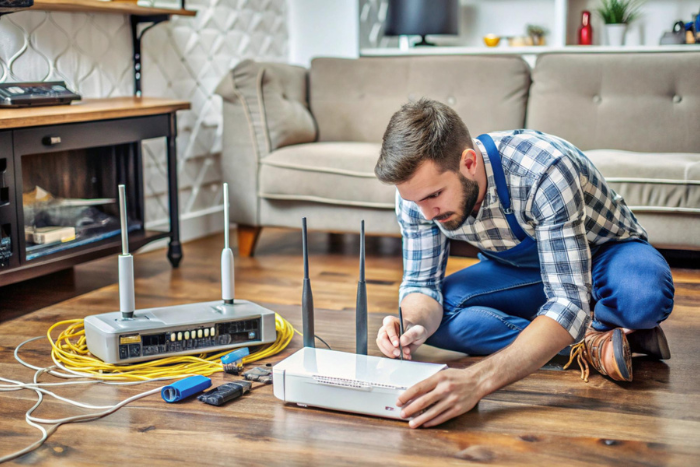
A stable internet connection is essential for working from home, attending online classes, making video calls, and accessing entertainment. However, a power cut can interrupt connectivity, especially when your Wi-Fi router and other networking equipment depend on electricity. Preparing in advance can help you stay connected for longer during unexpected power interruptions.
Whether you use broadband for work or everyday browsing, understanding your equipment and choosing suitable Wi-Fi plans can help you prepare your home network for power cuts.
1. Understand Why Wi-Fi Stops Working During a Power Cut
Your Wi-Fi router needs electricity to operate. When the power supply is interrupted, the router switches off, preventing your devices from connecting to the internet through it.
Depending on your broadband technology, additional equipment may also require power. For example, a fibre connection may use an Optical Network Terminal (ONT) or fibre modem alongside the router. If either device loses power, your internet connection may stop working.
Understanding which devices need electricity helps you choose the right backup solution for your home.
2. Use a UPS for Your Wi-Fi Router
A mini UPS for a Wi-Fi router is one of the most practical ways to maintain connectivity during short power cuts. It provides backup power to compatible networking equipment, allowing your router to continue operating when the main electricity supply is unavailable.
Before purchasing a mini UPS, check the following:
- Voltage and current: Ensure the UPS output matches your router’s power requirements.
- Battery capacity: Choose a capacity suitable for your expected backup duration.
- Device compatibility: Check whether the UPS can power your router, modem, or ONT.
- Output connections: Make sure it has the correct connectors for your equipment.
If your fibre connection uses both an ONT and a Wi-Fi router, you may need to power both devices to maintain internet access. Always check the equipment specifications before connecting a backup power source.
3. Consider a Home Inverter or UPS System
If power cuts are frequent in your area, a home inverter or a larger UPS system can be useful. Depending on its capacity and wiring, it may power your router, ONT, laptop, and other essential devices during an outage.
This option can be particularly helpful for people who regularly work from home or attend online meetings. However, the backup duration depends on the system’s battery capacity and the total power consumption of the connected equipment.
Avoid connecting more devices than the backup system is designed to support. If you are unsure about installation or electrical safety, consult a qualified technician.
4. Keep Your Laptop and Mobile Phone Charged
Maintaining your internet equipment is only part of the preparation. Your laptop and mobile phone also need sufficient battery power to remain useful during a power cut.
Consider these simple habits:
- Charge your laptop and phone before expected power interruptions.
- Keep a compatible, charged power bank available for your phone.
- Save important work regularly to avoid losing unsaved changes.
- Close unnecessary applications to reduce battery consumption.
- Keep essential chargers in an accessible place.
These steps can help you continue important tasks even when electricity is unavailable for an extended period.
5. Keep Mobile Data as a Backup Option
A broadband connection may become unavailable during a power cut if your networking equipment loses power or the provider’s network is affected. Keeping mobile data available gives you another way to access essential online services.
You can use your phone’s mobile hotspot to connect a laptop or another device. However, hotspot performance depends on mobile network coverage, signal strength, data availability, and congestion in your area.
If you regularly rely on mobile data as a backup, check your data allowance and ensure your phone has enough battery power.
6. Protect Your Networking Equipment
Power interruptions and fluctuations can sometimes affect electronic equipment. Using suitable surge protection and following the manufacturer’s instructions can help protect your router and other networking devices.
After electricity returns, allow your equipment to restart fully before troubleshooting the connection. Avoid repeatedly switching devices on and off.
If the internet does not return after the router has restarted, check the indicator lights and cables. For a fibre connection, an abnormal LOS (Loss of Signal) indicator may suggest a fibre signal issue that cannot be resolved simply by providing backup power. Contact your broadband provider if the problem continues.
7. Choose the Right Broadband Service for Your Home
Power backup is important, but choosing a suitable internet service is equally essential for everyday connectivity. When comparing the best broadband plans in Kerala, consider your household’s speed requirements, number of connected devices, data usage, service coverage, and customer support.
If you are choosing the best fiber broadband in Kerala or the best internet connection in Kerala, compare available providers based on speed, reliability, pricing, and plan benefits to find a connection that suits your household’s needs.
If you are searching for a Wi-Fi connection near me, a broadband connection near me, or a Wi-Fi service provider near me, check which providers serve your area and compare their plans, installation charges, and customer support before making a decision.
Conclusion
Preparing your home internet connection for a power cut does not have to be complicated. A compatible mini UPS, a charged laptop and phone, a mobile data backup, and basic equipment protection can help reduce interruptions during short outages.
Before choosing a broadband service, compare suitable Wi-Fi plans and check local availability. With the right equipment and a reliable connection, you can better prepare your home network for unexpected power cuts.
Home Internet for Developers: What to Consider for Coding, Git, Cloud Tools and Video Calls

Working from home has become a practical option for software developers, programmers, and technology professionals. With a laptop and the right development environment, many developers can work from almost anywhere.
However, remote development depends heavily on a reliable internet connection. Writing code itself may not require a large amount of bandwidth, but modern development workflows involve much more than opening an editor and writing programs.
Developers may regularly use Git repositories, cloud platforms, package managers, remote servers, collaboration tools, video meetings, and large software downloads. When several of these activities happen together, the quality of the home internet connection can make a noticeable difference to productivity.
So, what should developers consider when choosing the internet for working from home?
Does Coding Require High Internet Speed?
Basic coding does not usually require extremely high internet speeds. You can write code locally without continuously using the internet.
However, the development workflow surrounding coding can create more demanding requirements.
A developer may need to:
- Clone or pull repositories
- Push code to remote repositories
- Download software packages
- Install development dependencies
- Access cloud-based development environments
- Upload builds and files
- Connect to remote servers
- Attend online meetings
- Use project management and collaboration platforms
As a result, the ideal connection isn’t necessarily the one with the highest advertised speed. Reliability, latency, upload performance, and consistency can be just as important.
Why Upload Speed Matters for Developers
Download speed often receives the most attention when people compare broadband plans. For developers, however, upload speed can also be relevant.
Developers regularly send code changes, files, builds, database exports, project assets, and other information to remote services.
The amount of data involved varies considerably depending on the project.
For example, a developer working mainly with text-based source code may transfer relatively small files, while someone working with large applications, media assets, virtual machines, or build files may transfer considerably more data.
A connection with suitable upload performance can make these workflows more convenient.
Git and Remote Repositories
Git-based workflows are now common in software development.
Developers may frequently pull changes from a repository, create branches, commit changes, push code, and collaborate with other team members.
For smaller repositories, these operations may use relatively little data. Larger repositories and projects with substantial assets can require more time to transfer.
The important factor is not simply having a high-speed connection but maintaining a stable connection throughout the process.
A brief interruption during a remote operation can be frustrating, particularly when developers are working with cloud-based tools or remote systems.
Cloud Development Tools Need Consistent Connectivity
Many developers now use cloud-based services as part of their daily workflow.
These can include cloud platforms, remote development environments, hosted databases, virtual machines, testing environments, monitoring dashboards, and collaboration tools.
When development work depends on online resources, connectivity becomes an important part of the work environment.
A reliable broadband connection can help developers stay connected to these services throughout the working day.
Video Calls Are Part of Development Work
Software development is not always an individual activity.
Remote developers regularly participate in team meetings, client discussions, sprint planning, code reviews, technical discussions, and one-to-one calls.
Video meetings use both download and upload bandwidth, particularly when the camera is enabled.
If a developer is simultaneously downloading dependencies, syncing files, or performing other network-intensive activities, available bandwidth can become more important.
This is why choosing the right connection is about the entire workday rather than coding alone.
What About Latency?
Latency refers to the time it takes for data to travel between your device and a remote server.
For everyday coding, latency may not always be noticeable. However, it can become more relevant when working with remote development environments, cloud applications, remote servers, interactive tools, or video conferencing.
A stable connection with reasonable latency can make interactive online tools feel more responsive.
For developers who rely heavily on remote infrastructure, latency can therefore be an important factor when evaluating home internet.
Can Other Family Members Use the Internet?
Working from home rarely means having the entire connection to yourself.
Other members of the household may be streaming videos, attending online classes, gaming, browsing, or using smart TVs and mobile devices while you work.
A developer may also have multiple work devices connected simultaneously, such as a laptop, external display with network functions, smartphone, tablet, or another computer.
When comparing the best broadband connection in Kerala, consider the total number of users and devices that will be online during working hours.
Is Fiber Broadband Useful for Developers?
Fiber broadband can be a suitable option for remote professionals because it can provide high-speed connectivity and support demanding online activities.
When comparing the best fiber broadband in Kerala, developers should look beyond the headline download speed.
Consider factors such as:
- Download and upload performance
- Connection reliability
- Latency
- Router capabilities
- Customer support
- Number of connected devices
- Availability at your location
The right plan depends on how you actually work.
What Internet Speed Does a Developer Need?
There isn’t one speed requirement that applies to every developer.
A developer who primarily writes code locally and occasionally uses Git may have very different requirements from someone working with cloud environments, large repositories, remote servers, frequent video meetings, and multiple online services.
Instead of choosing a plan purely based on Mbps, consider your typical workload.
For developers sharing the connection with several other users, a higher-speed plan can provide additional capacity for simultaneous activities.
Choosing a Home Internet Connection
If you’re searching for the best internet connection in Kerala, start by understanding your work requirements.
Ask yourself:
- How many hours do I work online?
- How frequently do I use Git or remote repositories?
- Do I work with cloud development platforms?
- Do I regularly attend video meetings?
- Do I transfer large files?
- How many other people use the connection?
- How many devices are connected during working hours?
These questions can help you identify a plan that fits your actual usage.
If you’re searching for wifi connection near me or a broadband connection near me, availability should be checked at your specific address before comparing plans.
What Makes a Good Developer-Friendly Home Setup?
A reliable developer workspace usually involves more than broadband alone.
A practical setup can include:
- A suitable broadband plan
- A modern router
- Strong Wi-Fi coverage
- Ethernet connectivity where practical
- A backup internet option for important work
- Proper router placement
If you’re looking for wifi plans, consider how they fit your work requirements and the number of devices connected at home.
The Bottom Line
Developers working from home don’t necessarily need the fastest internet plan available. What they need is a connection that matches their workflow.
Coding itself may require relatively little bandwidth, but Git, cloud tools, software downloads, remote servers, file transfers, and video meetings can collectively place greater demands on a home network.
For remote developers, stability, latency, upload performance, and sufficient bandwidth for multiple users can be just as important as download speed.
Whether you’re comparing broadband services or searching for a wifi service provider near me, consider the complete work-from-home environment rather than focusing on a single specification.
The right home internet setup can help developers spend less time dealing with connectivity interruptions and more time focusing on building, testing, and delivering their work.
Gaming and Streaming at the Same Time: What Happens to Your Home Network?

Home internet is increasingly being used for several activities at the same time. One person may be playing an online game while another is watching a 4K movie, someone else is attending a video call, and other devices continue running in the background.
This raises a common question for households: Can gaming and streaming happen at the same time without affecting the internet experience?
The answer depends on several factors, including your broadband speed, latency, network usage, router capabilities, and the number of connected devices.
Understanding how these activities use your home network can help you choose a suitable internet setup.
Why Gaming and Streaming Use Your Network Differently
Gaming and video streaming both require an internet connection, but they have different network requirements.
Online games generally don’t need extremely high download speeds once the game is running. Instead, they depend heavily on low latency, connection stability, and consistent communication between your device and the game server.
Streaming services, on the other hand, continuously download video content. Higher-resolution streaming, such as 4K, can consume significantly more bandwidth than standard-definition or HD streaming.
When both activities happen simultaneously, they compete for the available network capacity.
What Happens When Someone Streams While You Game?
Imagine one person is playing an online multiplayer game while another household member starts streaming a high-resolution movie.
The streaming device continuously receives video data, while the gaming device exchanges information with the game server.
If your home network has enough available capacity, both activities can run normally.
However, if the connection is already heavily used, the additional streaming traffic may contribute to congestion. This can potentially affect the gaming experience through increased latency, inconsistent performance, or temporary interruptions.
The impact depends on the quality and capacity of the overall connection.
Does Streaming Affect Gaming More Than Gaming Affects Streaming?
Generally, streaming consumes substantially more continuous bandwidth than typical online gameplay.
A gaming session may exchange relatively small amounts of data while requiring quick responses from the server. Video streaming, particularly at higher resolutions, continuously downloads large amounts of content.
This means that if a household connection is under heavy load, streaming can have a greater effect on available bandwidth.
However, modern broadband connections can support multiple activities when the plan and network setup are appropriate for the household’s usage.
Does Higher Internet Speed Solve Everything?
A faster broadband plan can provide more available bandwidth, but speed isn’t the only factor that matters for gaming.
For online gaming, latency and stability are also important.
For example, a connection may offer high download speeds but still provide an inconsistent gaming experience if there are network issues, wireless limitations, or other sources of latency.
For streaming, available bandwidth becomes particularly important because video services continuously transfer data.
Therefore, when choosing the best broadband connection in Kerala, users should consider both speed and the type of activities their household regularly performs.
How Many People Are Using the Connection?
The number of users can make a significant difference.
A household with one gamer and one streaming device has different requirements from a home where several people are simultaneously:
- Playing online games
- Streaming movies or shows
- Attending video meetings
- Downloading large files
- Using cloud applications
- Browsing on multiple smartphones
- Connecting smart TVs and other devices
Each activity contributes to overall network usage.
When selecting from the best broadband plans in Kerala, consider the number of people and devices that are likely to use the connection at the same time rather than choosing a plan based only on individual usage.
Does 4K Streaming Make a Difference?
Yes.
Higher-resolution streaming generally requires more bandwidth than lower-resolution video.
If one household member is watching 4K content while another is gaming, the streaming device may consume considerably more bandwidth than someone watching standard-definition content.
This doesn’t necessarily mean gaming and 4K streaming cannot happen simultaneously.
A sufficiently capable broadband connection and suitable home network can support both activities, but households with several simultaneous high-bandwidth activities should consider their overall usage when choosing a plan.
Wi-Fi Can Also Influence the Experience
Even when your broadband connection has sufficient capacity, the wireless network inside your home can influence performance.
The router, Wi-Fi band, distance from the router, physical obstacles, interference, and connected devices can all affect wireless connectivity.
For example, a gaming console connected wirelessly in a distant room may experience different conditions from a smart TV located next to the router.
For demanding activities, users can also consider a wired Ethernet connection where practical.
This can provide a direct connection between the device and router and reduce dependence on wireless conditions.
Gaming While Others Are Streaming: What Can You Do?
If your household regularly combines gaming, streaming, and other internet activities, a few practical steps can help.
Choose a Suitable Broadband Plan
Consider the number of users, connected devices, and activities performed simultaneously.
A household that regularly streams high-resolution content while gaming may need more capacity than a household using the internet primarily for browsing.
Use a Suitable Router
A modern router can help manage multiple connected devices more effectively.
Consider routers that support current Wi-Fi standards and dual-band connectivity, particularly if your home has several wireless devices.
Consider Ethernet for Gaming
If your gaming setup is close to the router, an Ethernet connection can be an option for users who want a direct wired connection.
It can reduce reliance on wireless connectivity and may provide a more consistent connection for the gaming device.
Manage Heavy Downloads
Large game downloads, updates, and other background transfers can consume considerable bandwidth.
If possible, schedule large downloads or updates for times when the network is less busy.
Is Fiber Broadband Suitable for Gaming and Streaming?
Fiber broadband can be a strong option for households with multiple internet activities because it can offer high-speed connectivity and support substantial data usage.
However, choosing the best fiber broadband in Kerala should involve looking beyond speed alone.
Consider the available plans, reliability, support, router equipment, and the expected number of users and devices in your home.
The best plan for a household depends on how the connection is actually used.
What About Upload Speed?
Download speed is particularly important for activities such as streaming content, downloading games, and receiving online data.
Upload speed becomes more relevant when users are sending files, participating in video calls, uploading content, or livestreaming gameplay.
For gamers who stream their gameplay online, upload capacity can therefore become an important consideration.
If you’re comparing the best internet connection in Kerala, consider both download and upload requirements based on your household’s activities.
Can One Home Connection Handle Gaming and Streaming?
Yes, a suitable home broadband connection can support gaming and streaming simultaneously.
The key is understanding your household’s overall usage rather than looking at gaming or streaming in isolation.
A connection supporting one gamer and one HD stream may have very different requirements from a household with several gamers, multiple 4K streams, smart devices, and large downloads happening simultaneously.
When searching for a broadband connection near me or exploring a wifi connection near me, check the plans available at your address and compare them based on your expected usage.
Local availability can vary, so checking the service options in your area is an important first step.
The Bottom Line
Gaming and streaming can comfortably coexist on a home network when the broadband plan and networking equipment are suited to the household’s usage.
Gaming typically places greater importance on latency and stability, while streaming continuously uses download bandwidth. When several high-demand activities occur simultaneously, the available network capacity becomes more important.
A suitable broadband plan, capable router, and appropriate connection method can help your household handle multiple activities more effectively.
Whether you’re looking for wifi plans, comparing a wifi service provider near me, or evaluating a new broadband connection, consider how many people and devices will be online at the same time.
The goal isn’t simply to choose the highest-speed plan. It’s to choose a connection that matches the way your household actually uses the internet.
2.4 GHz vs 5 GHz Wi-Fi: Understanding the Difference
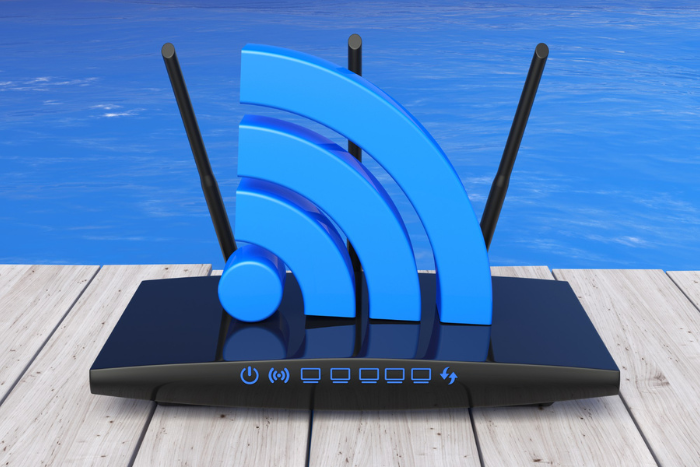
Most modern Wi-Fi routers support two common wireless frequency bands: 2.4 GHz and 5 GHz. When you connect your smartphone, laptop, smart TV, or other device to your home network, you may see one or both of these options.
But what do these numbers actually mean? Is 5 GHz always faster? When is 2.4 GHz a better choice? And which one should you use for different devices around your home?
Understanding the difference between these two Wi-Fi bands can help you make better use of your home internet connection.
What Do 2.4 GHz and 5 GHz Mean?
The terms 2.4 GHz and 5 GHz refer to the radio frequency bands that a router uses to communicate wirelessly with connected devices.
These frequencies are different from the internet speed provided by your broadband plan.
Your broadband connection brings internet access into your home, while Wi-Fi allows your devices to connect wirelessly to the router. The frequency band you use can influence factors such as wireless range, potential speed, and performance in different parts of your home.
Most modern dual-band routers support both 2.4 GHz and 5 GHz.
What Is 2.4 GHz Wi-Fi?
The 2.4 GHz band has been widely used for wireless connectivity for many years. One of its main advantages is its longer range and better ability to travel through walls and other obstacles.
This makes it useful for devices that are located farther away from the router.
Advantages of 2.4 GHz
- Longer wireless range
- Better ability to pass through walls
- Works with a wide range of devices
- Suitable for devices located farther from the router
- Useful for many smart home devices
Limitations of 2.4 GHz
Because many wireless devices use the 2.4 GHz band, it can experience more congestion or interference in some environments.
It also generally provides lower potential wireless speeds than 5 GHz.
However, when a device is located far from the router, the longer range of 2.4 GHz can make it a practical choice.
What Is 5 GHz Wi-Fi?
The 5 GHz band is designed to offer higher potential wireless speeds over a shorter range.
It can be particularly useful when your device is relatively close to the router and requires faster wireless data transfer.
Advantages of 5 GHz
- Higher potential wireless speeds
- Often less congested than 2.4 GHz
- Suitable for high-bandwidth activities
- Useful for streaming and large downloads
- Works well for devices located close to the router
Limitations of 5 GHz
The main limitation of 5 GHz is its shorter range.
Compared with 2.4 GHz, the 5 GHz signal generally has more difficulty passing through walls and other obstacles. As the distance between your device and router increases, the connection may become weaker.
Therefore, 5 GHz isn’t automatically the better option for every room or device.
2.4 GHz vs 5 GHz: What’s the Difference?
The simplest way to understand the difference is to think about range versus speed.
| Feature | 2.4 GHz | 5 GHz |
| Range | Longer | Shorter |
| Wall penetration | Better | Lower |
| Potential speed | Lower | Higher |
| Congestion | Can be higher | Often lower |
| Best suited for | Longer-distance devices | High-speed activities nearby |
Actual performance can vary depending on your router, connected device, home layout, physical obstacles, interference, and broadband connection.
Which Wi-Fi Band Should You Use?
There isn’t one band that is always better.
The right choice depends on the location of your device and what you are using it for.
Use 2.4 GHz When:
- Your device is far from the router
- There are several walls between the device and router
- You need greater wireless coverage
- You’re connecting certain smart home devices
- Maximum wireless speed isn’t your main requirement
For example, a smart device located in another room may benefit from 2.4 GHz because of its longer range.
Use 5 GHz When:
- Your device is relatively close to the router
- You are streaming high-resolution content
- You are downloading large files
- You need higher wireless speeds
- Your device supports 5 GHz
A laptop or smart TV located close to the router may benefit from connecting to the 5 GHz band.
Does 5 GHz Give You Faster Broadband?
Not necessarily.
Switching from 2.4 GHz to 5 GHz does not increase the internet speed included in your broadband plan.
For example, if your broadband plan provides a particular internet speed, changing the Wi-Fi frequency does not increase the speed delivered by your broadband provider.
However, if your 2.4 GHz wireless connection is limiting the performance between your router and device, using 5 GHz in suitable conditions may allow the device to achieve better wireless performance.
This distinction is important when choosing the best broadband connection in Kerala, because broadband speed and Wi-Fi performance are related but are not the same thing.
What Is a Dual-Band Router?
A dual-band router supports both 2.4 GHz and 5 GHz Wi-Fi.
Having access to both bands gives you more flexibility because different devices can use the band that best suits their location and requirements.
For example:
- Smart home devices can use 2.4 GHz
- Smartphones can use either band
- Laptops can use 5 GHz when close to the router
- Smart TVs can use 5 GHz when within good range
- Devices farther away can use 2.4 GHz
Some modern routers can also automatically help compatible devices connect to a suitable band.
Is 5 GHz Better for Streaming?
5 GHz can be useful for streaming when your device is close enough to the router to maintain a strong connection.
The higher potential wireless speeds can make it suitable for activities such as high-resolution video streaming and transferring large files.
However, streaming performance depends on more than the Wi-Fi frequency. Your broadband speed, device, router, distance, and network conditions can all influence the experience.
When comparing the best broadband plans in Kerala, it is therefore useful to consider both your internet requirements and your home Wi-Fi setup.
Is 2.4 GHz Better for Smart Home Devices?
Many smart home devices are designed to work with 2.4 GHz Wi-Fi because it offers greater range.
Devices such as certain smart plugs, sensors, cameras, and other connected products may be designed specifically for the 2.4 GHz band.
Before connecting a smart device, check the manufacturer’s specifications to see which Wi-Fi bands it supports.
If a device only supports 2.4 GHz, it cannot connect to a 5 GHz-only network.
Can You Use Both Bands at the Same Time?
Yes. If your router supports dual-band Wi-Fi, devices in your home can use both frequency bands.
This can help distribute devices according to their requirements.
For instance, devices that need higher wireless speeds and are located close to the router can use 5 GHz, while devices that are farther away can use 2.4 GHz.
This flexibility can be particularly useful in households with several connected devices.
Does Your Broadband Plan Affect Wi-Fi Performance?
Your broadband plan is an important part of your overall internet experience, but it isn’t the only factor.
The router, Wi-Fi frequency, device capabilities, distance, walls, interference, and number of connected devices can all influence actual performance.
If you’re looking for the best fiber broadband in Kerala, consider the complete setup rather than focusing only on the advertised speed of the plan.
A suitable broadband connection paired with capable Wi-Fi equipment can help your household make better use of its internet service.
Which One Should You Choose?
The choice between 2.4 GHz and 5 GHz depends mainly on your home’s layout and how you use your devices.
Choose 2.4 GHz when range and wall penetration are more important.
Choose 5 GHz when your device is close to the router and you want higher potential wireless speeds.
If your router supports both, you don’t necessarily need to choose one permanently. Different devices can use different bands according to their requirements.
For households comparing the best internet connection in Kerala, it is worth considering not just the broadband plan but also the router and Wi-Fi environment inside the home.
The Bottom Line
Both 2.4 GHz and 5 GHz Wi-Fi have their own advantages.
2.4 GHz generally offers better range and can work more effectively through walls, while 5 GHz can provide higher potential wireless speeds over shorter distances.
Neither band is universally better. The right choice depends on the device, its location, and what you’re doing online.
A dual-band router gives you the flexibility to use both, helping different devices connect using the band that best suits their requirements.
When combined with a suitable broadband plan, the right Wi-Fi setup can help you get a more effective and reliable home internet experience.
More Devices, More Wi-Fi Choices: Why Dual-Band Routers Are Becoming Essential
Homes are becoming more connected every day. Smartphones, laptops, smart TVs, tablets, gaming consoles, security cameras, smart speakers, and other connected devices are now part of everyday household life.
As the number of devices increases, having a reliable broadband connection is only one part of the equation. The router distributing that internet connection throughout the home also plays an important role.
This is why dual-band routers are becoming increasingly useful for modern households. By supporting both 2.4 GHz and 5 GHz Wi-Fi bands, they provide more flexibility when several devices need to connect at the same time.
But what exactly is a dual-band router, and why does it matter?
What Is a Dual-Band Router?
A dual-band router is a wireless router that operates on two frequency bands: 2.4 GHz and 5 GHz.
Instead of making every device use the same wireless band, a dual-band router allows compatible devices to connect through either frequency depending on their location and requirements.
The 2.4 GHz band generally offers greater range and better wall penetration, while the 5 GHz band can provide higher potential wireless speeds over shorter distances.
This combination makes dual-band routers suitable for homes where different devices have different connectivity requirements.
Why Are More Devices Changing Home Wi-Fi?
The way households use the internet has changed significantly. A typical family may have several smartphones, laptops, smart TVs, tablets, gaming consoles, printers, cameras, and smart home devices connected to the internet.
At the same time, different family members may be using these devices for different activities.
One person could be attending a video meeting while another is streaming a movie. Someone else may be gaming, while smartphones and smart devices continue using the network in the background.
This creates a greater need for a router that can handle multiple wireless connections efficiently.
2.4 GHz vs 5 GHz: How Are They Different?
Although both bands provide Wi-Fi connectivity, they have different characteristics.
2.4 GHz Wi-Fi
The 2.4 GHz band generally provides greater range and can travel through walls more effectively.
It can be useful for:
- Devices located farther from the router
- Smart home devices
- Basic browsing
- Devices separated by several walls
- Areas where coverage is more important than maximum speed
However, because many wireless devices operate on 2.4 GHz, this band can experience greater congestion in some environments.
5 GHz Wi-Fi
The 5 GHz band generally offers higher potential wireless speeds over a shorter range.
It can be suitable for:
- High-resolution video streaming
- Large file downloads
- Video conferencing
- Devices located close to the router
- Activities requiring higher wireless performance
Its main limitation is that the signal generally doesn’t travel through walls and obstacles as effectively as 2.4 GHz.
Why Dual-Band Matters in a Multi-Device Home
The biggest advantage of a dual-band router is flexibility.
For example, a smart camera located farther away from the router could use 2.4 GHz, while a laptop in the same room as the router could connect through 5 GHz.
Similarly, a smart TV close to the router may benefit from 5 GHz, while a smart home device in another part of the house may work better on 2.4 GHz.
This allows devices to use the wireless band that better suits their requirements.
A dual-band router does not increase the speed included in your broadband plan, but it can help compatible devices make better use of the available wireless connection.
Does a Dual-Band Router Mean Faster Internet?
Not automatically.
Your broadband plan determines the internet service delivered to your home, while the router distributes that connection to your devices.
For example, upgrading to a faster plan won’t necessarily solve a problem caused by an outdated router. Similarly, installing a dual-band router doesn’t increase the speed purchased from your provider.
However, a modern router can improve the way compatible devices connect to your network.
This is an important consideration when looking for the best broadband connection in Kerala. The broadband plan, router, device capabilities, and home layout all contribute to the overall experience.
When Should You Consider a Dual-Band Router?
A dual-band router can be particularly useful if your household has:
- Several smartphones and laptops
- Smart TVs and streaming devices
- Gaming consoles
- Smart home equipment
- Multiple people using the internet simultaneously
- Devices located in different parts of the home
For a household with only a few connected devices and basic internet usage, a simple setup may be sufficient.
However, as the number of connected devices increases, having access to both Wi-Fi bands can provide greater flexibility.
What Should You Check When Choosing a Router?
When choosing a router, don’t focus only on the maximum advertised wireless speed.
Consider the number of devices in your home, the size and layout of your property, the types of devices you use, and your regular internet activities.
It is also important to check whether your devices support the Wi-Fi standards and frequency bands offered by the router.
When comparing the best broadband plans in Kerala, look at the complete package, including the router, connection speed, support, and features.
Is Dual-Band Wi-Fi Suitable for Every Home?
For many households, dual-band Wi-Fi provides a practical balance between coverage and wireless performance.
However, larger homes, multi-floor properties, and buildings with thick walls may require additional networking solutions.
Depending on the home layout, users may consider mesh Wi-Fi or additional access points to improve coverage.
The right setup ultimately depends on the size of the property, number of devices, and the way the internet is used.
How Does Your Broadband Plan Fit In?
A capable router works best when paired with a broadband plan that matches your household’s requirements.
A small household with basic browsing needs may require a different plan from a family where several people regularly stream, work remotely, attend video meetings, game, and use smart devices.
When comparing the best fiber broadband in Kerala, consider factors beyond advertised speed, including reliability, available plans, router capabilities, customer support, and your expected usage.
If you’re searching for a wifi connection near me or a broadband connection near me, checking service availability at your exact address should be one of the first steps.
Searches for wifi near me can also help identify available providers in your locality, while comparing a wifi service provider near me can help you evaluate plans and support options.
Choosing Wi-Fi Plans for a Connected Home
The number of devices in your household should be one of the factors you consider when selecting wifi plans.
Think about how many people use the internet, how many devices are connected, and what activities they regularly perform.
A suitable plan combined with an appropriate router can provide a more balanced home networking setup.
The Bottom Line
As households become increasingly connected, choosing the right router has become an important part of setting up home internet.
Dual-band routers provide access to both 2.4 GHz and 5 GHz Wi-Fi, allowing different devices to use the band that best suits their location and requirements.
The 2.4 GHz band is generally useful for greater range, while 5 GHz can provide higher potential wireless speeds over shorter distances.
A dual-band router isn’t a replacement for a suitable broadband plan, but it can complement a good connection by providing more flexibility for multiple devices.
Whether you’re comparing the best internet connection in Kerala, looking for a broadband connection, or researching local Wi-Fi options, consider the complete setup rather than focusing on just one specification.
With the right combination of broadband service, router, and connected devices, households can build a home network that is better suited to today’s increasingly connected lifestyle.
Wi-Fi Extender vs. Upgrading Your Broadband Plan: What Actually Fixes Dead Zones?
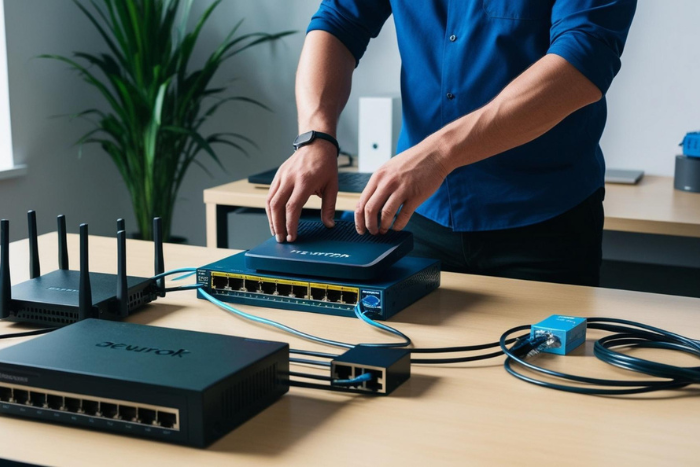
A weak Wi-Fi signal in one room can be frustrating, especially when your broadband plan promises high speeds. You may notice videos buffering, websites loading slowly, or video calls becoming unstable even though your internet connection works perfectly near the router.
How to Increase Your Wi-Fi Speed at Home: A Kerala Broadband Guide

A fast broadband plan is only one part of a good internet experience. Even if you have a high-speed fiber connection, your Wi-Fi may sometimes feel slow, especially when multiple people are connected or when you are using the internet far away from the router.
Slow browsing, buffering videos, delayed video calls, and interrupted online gaming can all make everyday internet use frustrating.